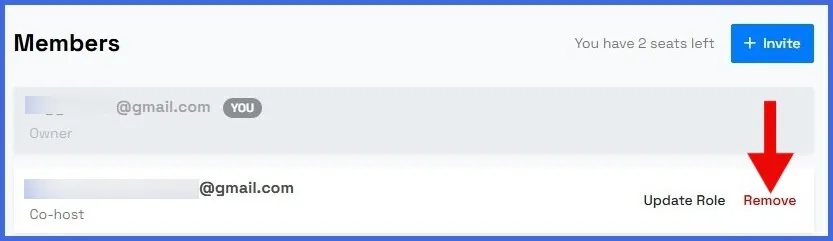

In Yostream, the ability to remove a team member is restricted to the Owner and Admins. They hold the necessary permissions to manage and update the team roster. Co-hosts, on the other hand, cannot remove any member from the team, as their role is designed to assist with live streams and collaborations rather than administrative control. This ensures secure and structured team management.
Step 1.
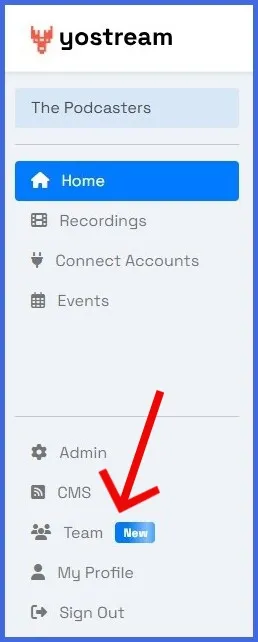
Enter the Yostream dashboard, and click on the Team icon in the left panel.
Step 2.
In the Members section, locate the member’s email address and click Remove next to it.